A section of options connected with Social API includes five groups of options:
- options connected with sharing at Facebook
- options connected with sharing on G+
- options connected with sharing on Twitter
- options connected with sharing on Pinterest
- options allowing to switch on/off Social API on particular subpages.
Options connected with sharing are the equivalent of parameters available in online editors, used for creating buttons like:
- Facebook – ‘like it’ button
- Goggle Plus – ‘+1’ button
- Twitter – ‘tweet’ button
- Pinterest – ‘pin it’ button
The last group of options allows to specify where they will be displayed – thanks to Include/Exclude specified articles from Social API option, it is possible to switch off Social API completely or switch on/off this functionality only for chosen posts, subpages and categories.
We specify the list of posts, subpages and categories in three last options:
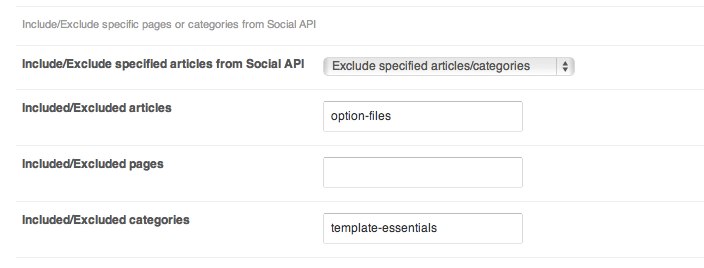 as a sequence of ID, slug or the names of posts given, subpages or categories separated with comas, e.g. [code]1,5,25[/code] or [code]typography,theme-settings,theme-essentials[/code]